

The Short Answer
This site's generator has three resolution choices, one frame rate, and a fifteen-second ceiling. The rest of the page explains output sizing, framing, workflow, and site credit use.
On h3-max.com, MiniMax H3 Max offers 480P, 768P, and 1080P. At 16:9, 768P output is 1344×768 at 24 FPS. The 1080P option is available for delivery surfaces that require that output size.
MiniMax H3 Max length runs from 5 to 15 seconds, and 15 seconds is the ceiling for a single generation. There is no setting that produces a longer clip in one pass.
On text to video you choose from six aspect ratios: 21:9, 16:9, 4:3, 1:1, 3:4, and 9:16. On image to video the output follows the aspect ratio of the picture you upload, so the framing decision is made when you pick the image.
The MiniMax H3 Max AI video generator on this site offers 480P, 768P, and 1080P output. It does not offer 2K or 4K in the current interface.
Checked September 16, 2026 against this site's visible generator controls and the linked fal H3 Max endpoint documentation. The page records the source date and the site/API boundary for straightforward verification.
Every H3 Max Resolution Available on This Site
The local examples below cover 480P, 768P, and 1080P delivery sizes. Each video is labeled with its resolution, frame rate, duration, and source path so the output can be reviewed directly.
Read the exact shared generation prompt+
integrated_multimodal_description: [Shot 1] Live-action macro product cinematography, a medium-close shot frames an open antique brass pocket watch resting on charcoal linen beside a rain-speckled window. Fine concentric engraving, tiny gear teeth, the glass edge, and the woven fibers remain visible. The second hand advances smoothly while two exposed gears rotate at a steady rate. The camera performs an Arc Shot clockwise with small amplitude at slow speed, and a narrow strip of cool window light moves across the brass without changing the watch geometry. No hands enter, no dialogue, no visible text.

overall_soundscape: A precise mechanical tick repeats once per second above a soft, continuous gear whir. Light rain taps against the nearby window while the linen gives one faint rustle near the end.

non_diegetic_music: N/A
480P — lower pixel dimensions
This setting is useful for prompt and motion tests where lower-resolution output is sufficient. It keeps the same 24 FPS output rate while reducing image dimensions.
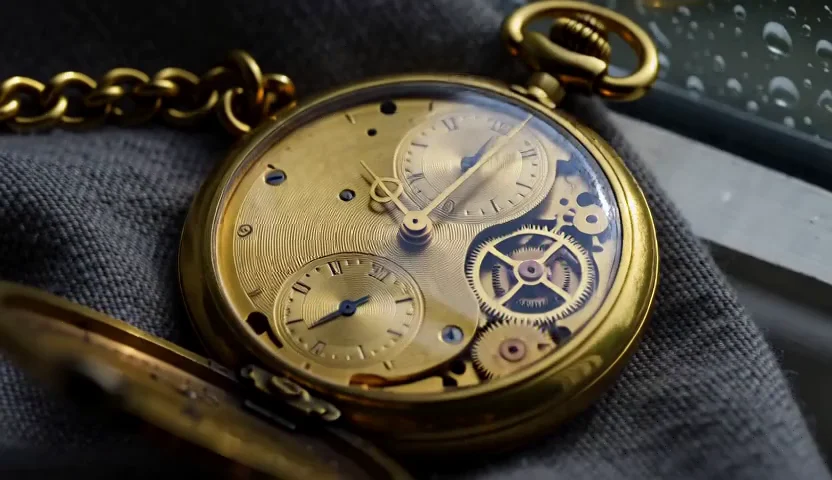
- Output
- 480P · 832×480
- Media
- 24 FPS · AAC stereo
- Duration
- 5 seconds
- Task
- 686108e7c7fe…
This 480P result was generated independently on September 18, 2026. It uses the same prompt, 16:9 framing, five-second request, and generated-sound setting as the other resolution test.
Create a 480P MiniMax H3 Max video768P — higher pixel dimensions
At 16:9, this setting produces 1344×768 output. Choose it when the higher available H3 Max resolution is appropriate for the delivery surface.
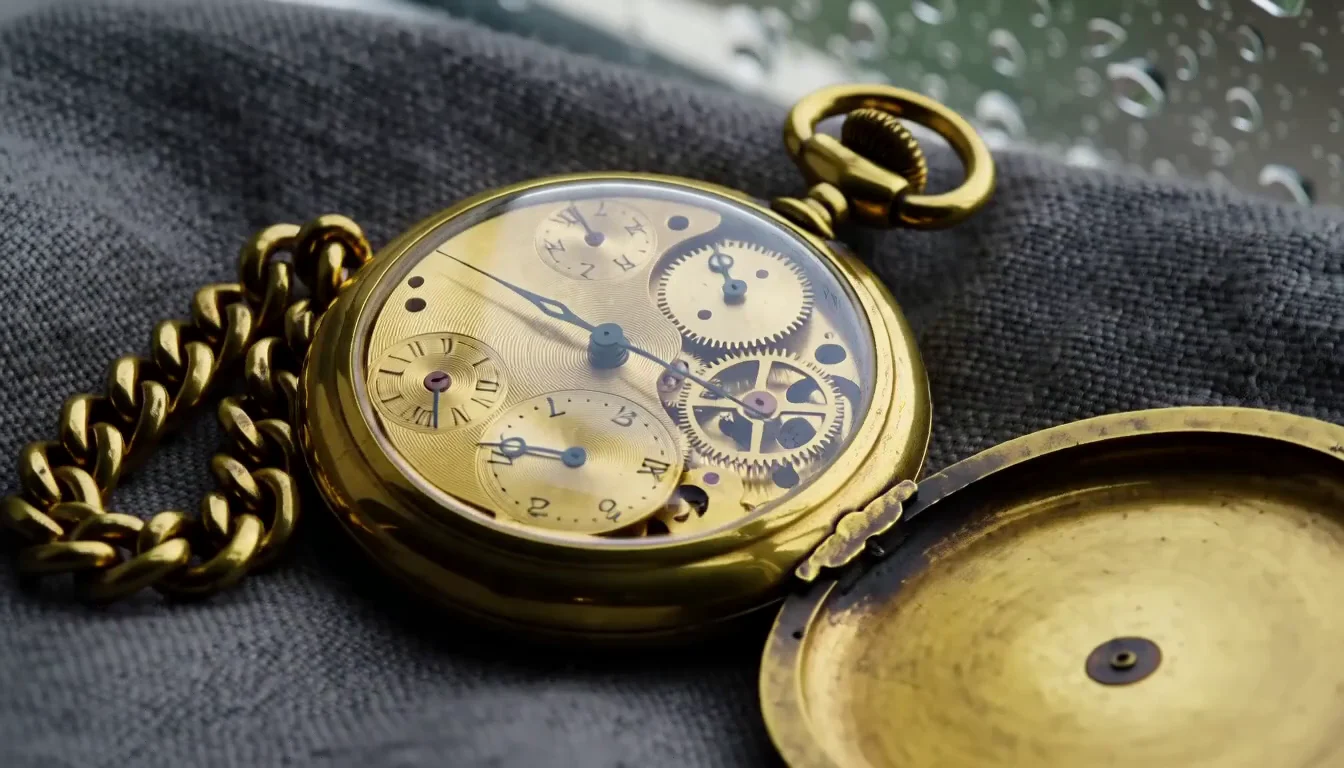
- Output
- 768P · 1344×768
- Media
- 24 FPS · AAC stereo
- Duration
- 5 seconds
- Task
- 2018365a5767…
This 768P result was generated independently on September 18, 2026. It uses the same prompt, 16:9 framing, five-second request, and generated-sound setting as the other resolution test.
Create a 768P MiniMax H3 Max video1080P — local video example
The 1080P example below is a local 1920×1080 video at 24 FPS, with its first frame retained as the poster.
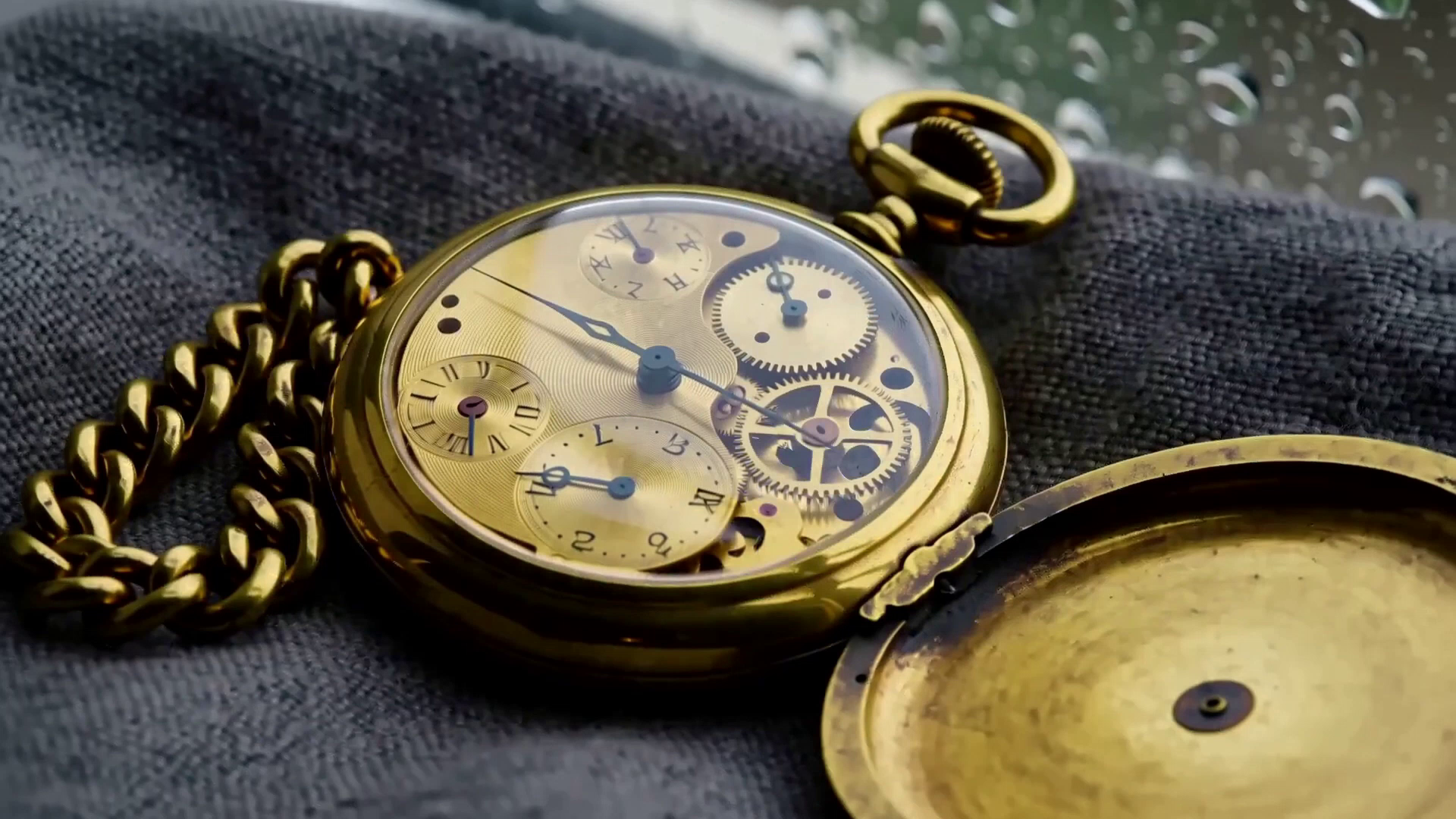
- Output
- 1080P · 1920×1080
- Media
- 24 FPS · AAC stereo
- Duration
- 5 seconds
- Task
- local-upload…
This 1080P video was provided locally. Its first decoded frame is retained as the poster, and the file is shown here as a 1920×1080 media example.
Create a 1080P MiniMax H3 Max videoThe six aspect ratios
| Ratio | Shape | Typical use |
|---|---|---|
| 21:9 | Ultrawide | Cinematic inserts, title beds |
| 16:9 | Landscape | YouTube, web, presentations |
| 4:3 | Classic | Retro and archival looks |
| 1:1 | Square | Feed posts, thumbnails |
| 3:4 | Portrait | Print-style verticals |
| 9:16 | Vertical | Shorts, Reels, TikTok |
Those six apply to text to video. On image to video, H3 Max follows whatever ratio your source picture has — so if you need 9:16 output from image to video, crop the image first.
Frame rate
24 FPS, locked. There is no 30 or 60 FPS output option, and no setting that changes it. Twenty-four frames per second is common in cinematic delivery, but frame rate alone does not determine whether a shot looks cinematic; camera movement, motion blur, lighting, and composition also shape that result.
Choosing Between 480P, 768P, and 1080P
Use 480P for fast composition and motion checks, 768P for standard delivery, and 1080P when the delivery surface requires a larger output frame.
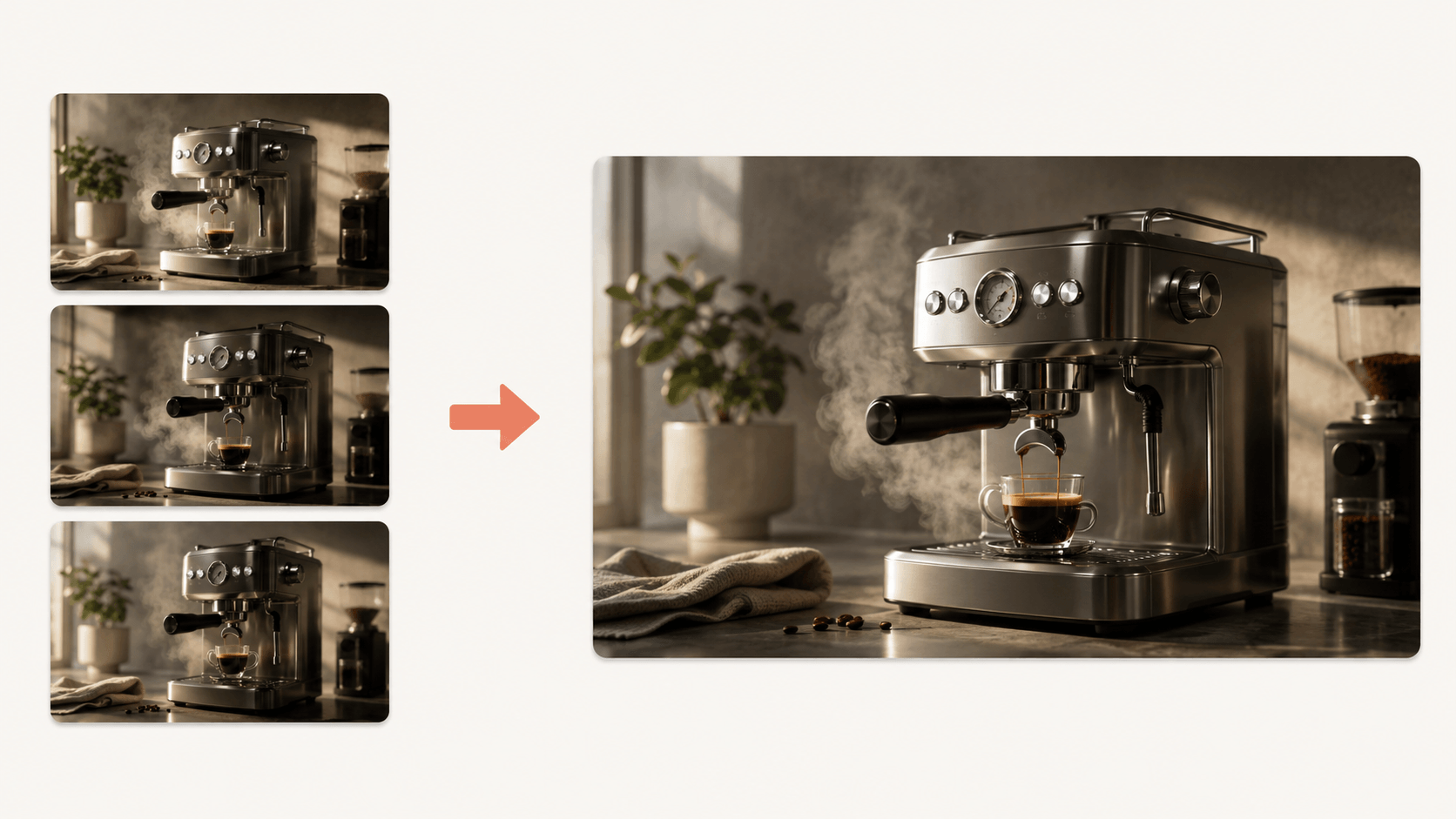
Draft at 480P
Use short 480P iterations to check whether the prompt, camera movement, timing, and framing work together before selecting a final take.
Finish at 768P
Once the direction is settled, select 768P for the higher-resolution H3 Max output. The workflow examples below are displayed in full, without cropping their original frames.
When 768P is the better starting point
If you already know the prompt works, you can select 768P immediately. Open the H3 Max generator, choose 768P, and confirm the visible credit total before submission.
Suggested Starting Settings by Deliverable
These are editorial starting points rather than guaranteed best settings. Adjust the orientation, duration, and resolution to the actual delivery requirement and the motion the shot needs to contain.
Short-form social
9:16, 768P, 5 to 8 seconds. A feed clip does not need 15 seconds and rarely benefits from it. Keep it short enough that it loops cleanly.
Product and ad shots
16:9 or 1:1, 768P, 5 seconds. Product work lives on detail, so this is the one case where 480P drafting matters least — run it at 768P from the start.
Story beats and previz
21:9 or 16:9, 480P first, then 768P on the take you keep. Previz is where the draft-then-finish habit pays for itself, because you will run the same shot many times.
Dialogue-led shots
Start with the orientation required by the destination and give a short spoken line enough duration to finish naturally. Use 768P when facial detail matters, but evaluate lip synchronization and generated audio separately because output resolution does not guarantee better speech timing or sound quality.
How to Set Resolution, Length, and Aspect Ratio
The settings sit above the prompt box. Three of them matter, and one — the one most people get wrong — is worth leaving exactly where it is.
1. Pick the resolution first
Choose 480P, 768P, or 1080P from the resolution control in the H3 Max generator. The generator recalculates the visible credit requirement when you change it.
2. Set the length
Anywhere from 5 to 15 seconds, in whole seconds. MiniMax H3 Max duration is capped at 15 for a single run, so a longer piece means generating segments and cutting them together afterwards.
3. Choose the aspect ratio
Six options on text to video. On image to video this control does nothing — the output follows your source image — so crop the image before you upload it if the framing matters.
4. Choose prompt expansion deliberately
Prompt expansion affects how the submitted text is prepared; it does not change the selected duration, resolution, aspect ratio, frame rate, or site-credit rate.
H3 Max Site Credit Rates
These are h3-max.com site-credit rules. They are separate from external provider API charges and from the dollar price of a credit pack.
| Resolution | Site credits | Output path |
|---|---|---|
| 480P | 1 / second | Video output |
| 768P | 2 / second | Video output |
| 1080P | 8 / second | Video output |
Reference-to-Video can add credits for reference inputs. See H3 Max Pricing and confirm the total shown by the generator before submission.
MiniMax H3 Max Resolution FAQ
Short answers to the output-setting questions covered visibly on this page.
What is the MiniMax H3 Max resolution?+
The h3-max.com generator offers 480P, 768P, and 1080P output for short video delivery.
What is the maximum MiniMax H3 Max length?+
A single H3 Max generation can be 5 to 15 seconds long, selected in whole seconds. Longer sequences need to be created as separate clips and assembled in an editor.
Does MiniMax H3 Max duration affect quality?+
Duration does not change the selected resolution or the 24 FPS output rate. Longer prompts do, however, contain more events for the model to coordinate, so it helps to keep the requested action achievable within the chosen duration.
What frame rate does H3 Max output?+
The h3-max.com generator outputs 24 FPS at 480P, 768P, and 1080P. There is no 30 FPS or 60 FPS control in this interface.
Can H3 Max do 2K or 4K?+
The h3-max.com generator offers 480P, 768P, and 1080P. It does not offer 2K or 4K in the current interface.
What aspect ratios does MiniMax H3 Max support?+
Text-to-Video supports 21:9, 16:9, 4:3, 1:1, 3:4, and 9:16. Image-to-Video follows the aspect ratio of the uploaded source image, so prepare that image in the delivery shape you need.
How many site credits does H3 Max use?+
Standard H3 Max uses 1 credit per output second at 480P, 2 at 768P, and 8 at 1080P on this site. Reference inputs can add credits, and the generator shows the total before submission.