
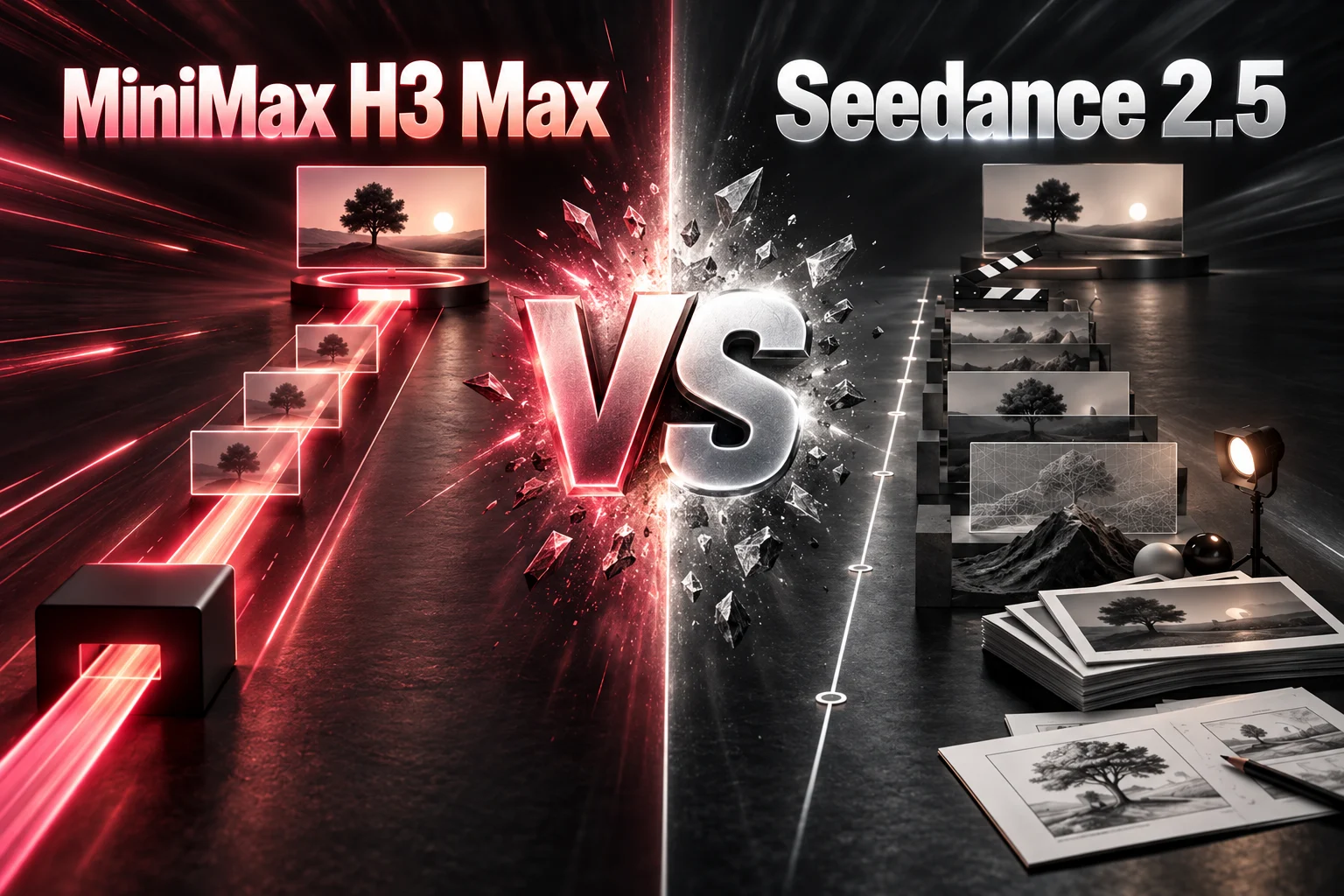
Quick Verdict: Start with the Production Bottleneck
Do not choose from a demo reel alone. Start with the constraint that can block delivery, then use the five rounds below to see what to inspect in the output.
Short audiovisual clip
Start with H3 Max
Use it when the complete idea fits inside a focused 5–15 second shot and picture, ambience, effects, and music should be designed together.
Long continuous scene
Evaluate Seedance 2.5
Use it when the scene needs up to 30 seconds for a beginning, middle, and end without splitting the deliverable into shorter shots.
Large reference pack
Evaluate Seedance 2.5
Use it when many character, product, environment, motion, or audio references must be coordinated in one production workflow.
Precise local revision
Evaluate Seedance 2.5
Use it when feedback targets one region or timestamp and the rest of an approved clip should remain unchanged.
H3 Max vs Seedance 2.5: The Differences That Change a Project
This compact view separates documented workflow differences from the qualitative video references shown below.
| Decision factor | H3 Max | Seedance 2.5 |
|---|---|---|
| Duration | 5–15 seconds in this site workflow | Up to 30 seconds |
| Selectable output | 480p, 768p, or 1080p on h3-max.com | Set resolution in the selected Seedance product surface |
| Reference inputs | Reference image and reference video inputs | Up to 50 multimodal inputs |
| Audio workflow | Native audio generated with the video through fal | Audio generation and audio-reference workflows |
| Revision path | Regenerate the complete short clip in this site workflow | Local and timestamp-level editing in supported workflows |
| Best fit | Fast short-form audiovisual iteration | Longer, reference-heavy production and targeted revisions |
How to read the clips: the imported H3 Max videos are reference clips. They demonstrate scene types and review criteria; rounds with different inputs are labeled as qualitative or matched-task references rather than controlled same-prompt A/B evidence.
Round 1
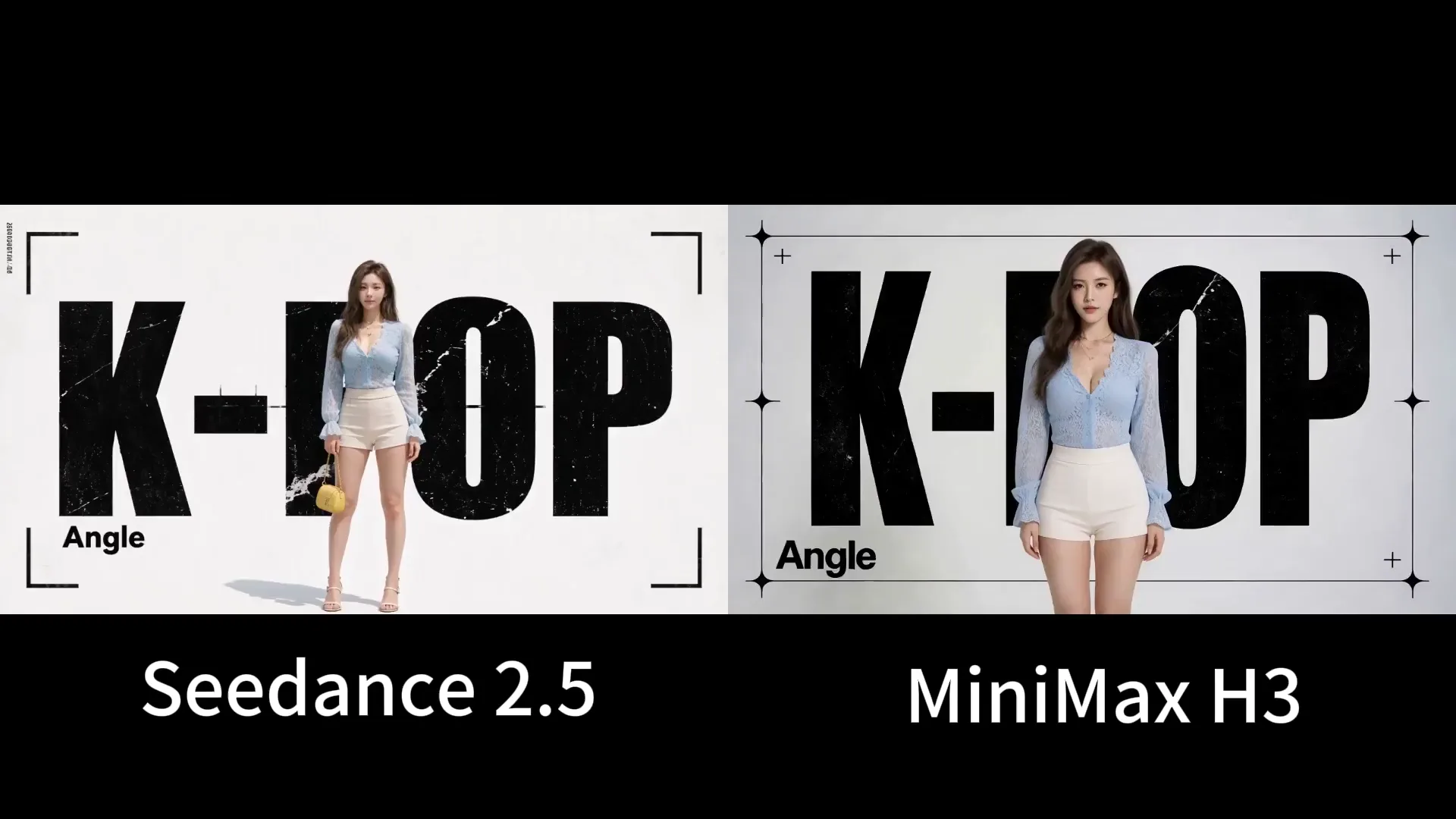
Qualitative referenceWhich Model Communicates Visual Quality, Text, and Graphic Composition More Clearly?
This composite makes the creative split visible: Seedance emphasizes portrait continuity, while the H3 Max reference leans into designed frames and readable graphic structure.
What this round tests
Can the output preserve the same person while moving from a clean portrait into a deliberate music-poster composition?
- Facial identity through cuts
- Readable on-screen typography
- Wardrobe and color continuity
- Intentional poster composition
Seedance 2.5 reference observation
The Seedance side keeps a more photographic portrait treatment before moving into designed frames. Watch whether facial proportions and styling remain stable during the transitions.
H3 Max reference observation
The H3 Max side uses bold red-and-black layouts, large display type, and repeated portrait framing. It is useful for judging whether graphic transformations still retain the performer.
Evidence limit: The original prompts, seeds, providers, and generation settings were not published with this clip. It cannot establish an H3 Max quality result or a controlled winner.
Decision: Use H3 Max when you want to recreate a short, graphic, sound-led concept quickly. Evaluate Seedance when the production needs the same identity to survive a longer or more reference-heavy sequence.
Round 2
Qualitative referenceWhich Model Handles Motion, Physics, and a Longer Scene More Reliably?
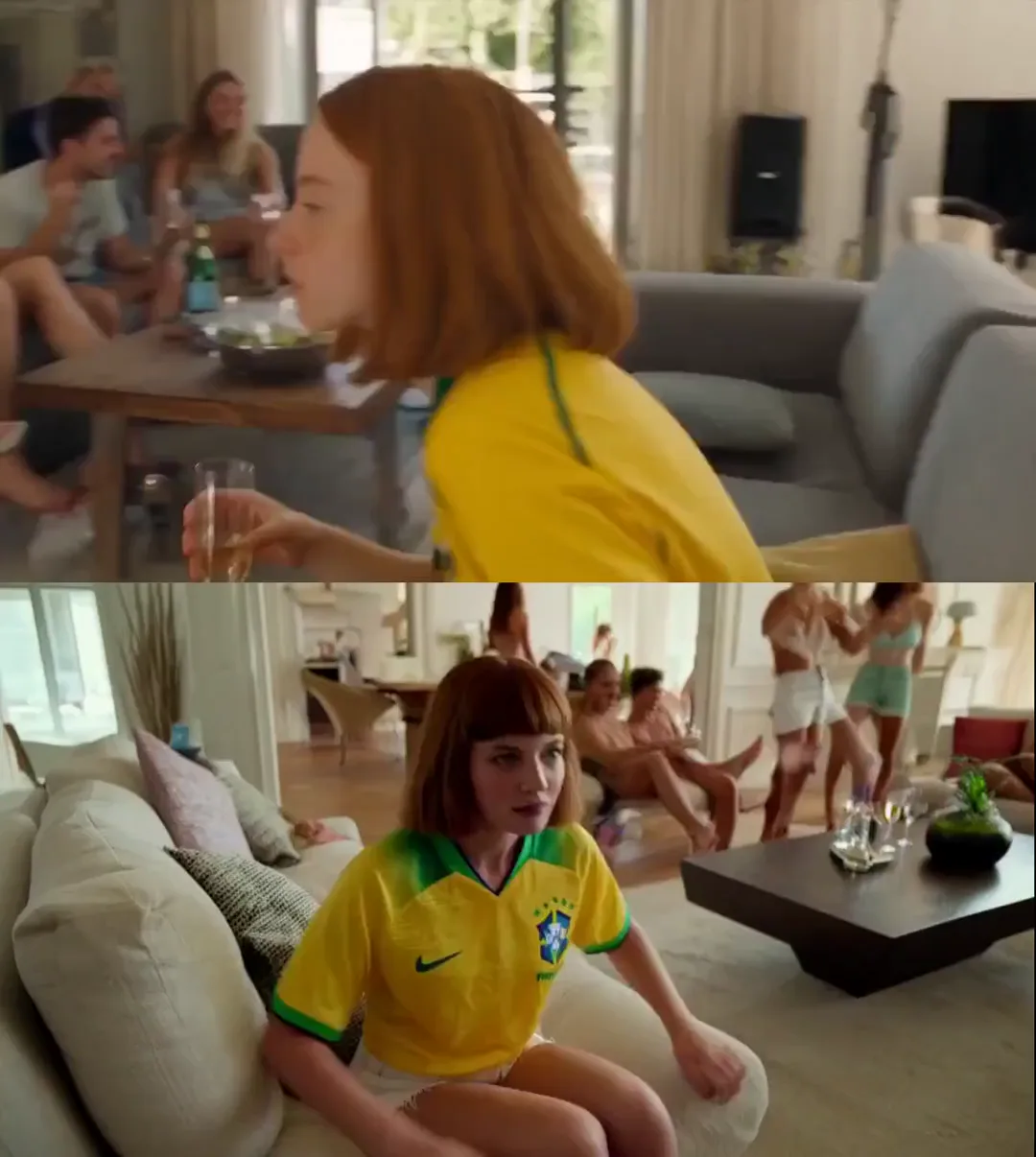
The Seedance portion demonstrates a longer party-to-pool progression; the H3 Max portion is useful as a short-scene reference, but the composite is not an equal-duration H3 Max test.
What this round tests
Does the same woman move through connected rooms, reach the pool, enter the water, and remain recognizable throughout the action?
- Identity across locations
- Walking and contact physics
- Spatial direction between cuts
- Water entry and recovery
Seedance 2.5 reference observation
The longer Seedance sequence connects the interior party, patio, pool edge, and underwater result. The useful signal is whether the route and subject remain understandable over more elapsed time.
H3 Max reference observation
The H3 Max reference uses a compact action beat. Review whether the yellow-and-green shirt, red bob haircut, body proportions, and movement direction stay coherent around the indoor group.
Evidence limit: The two portions were not generated with equivalent hosted settings, and the H3 Max reference material exceeds the duration normally exposed by the current site workflow. Treat the clip as continuity reference only.
Decision: Choose Seedance for a single extended scene with a beginning, middle, and end. Choose H3 Max when the deliverable can be expressed as one focused 5–15 second action or a small sequence of precise shots.
Round 3
Matched-task referenceWhich Model Gives You More Useful Prompt and Reference Control?
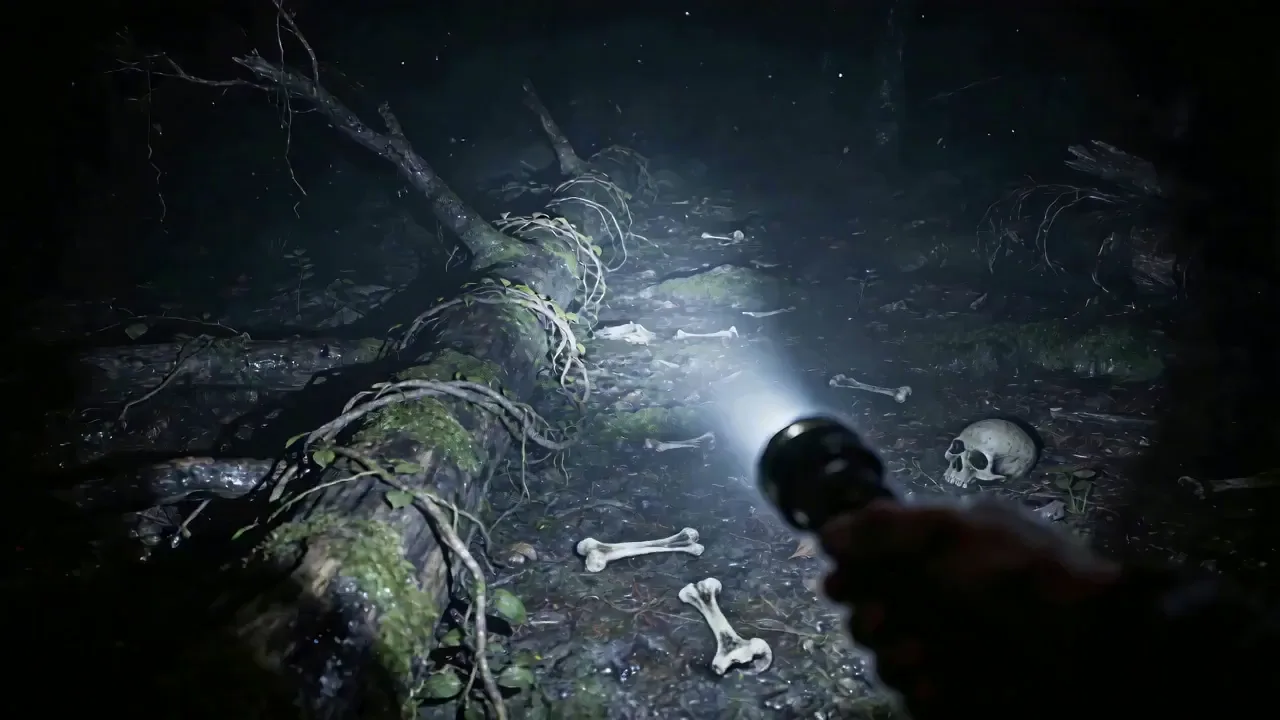
The two clips demonstrate different assignments rather than the same brief: H3 Max shows a single-subject motion task, while Seedance shows a directed environment reveal.
What this round tests
Does each output keep the requested subject, action, camera behavior, and environment legible without introducing distracting changes?
- Role assigned to each subject
- Action order
- Camera obedience
- Environment stability
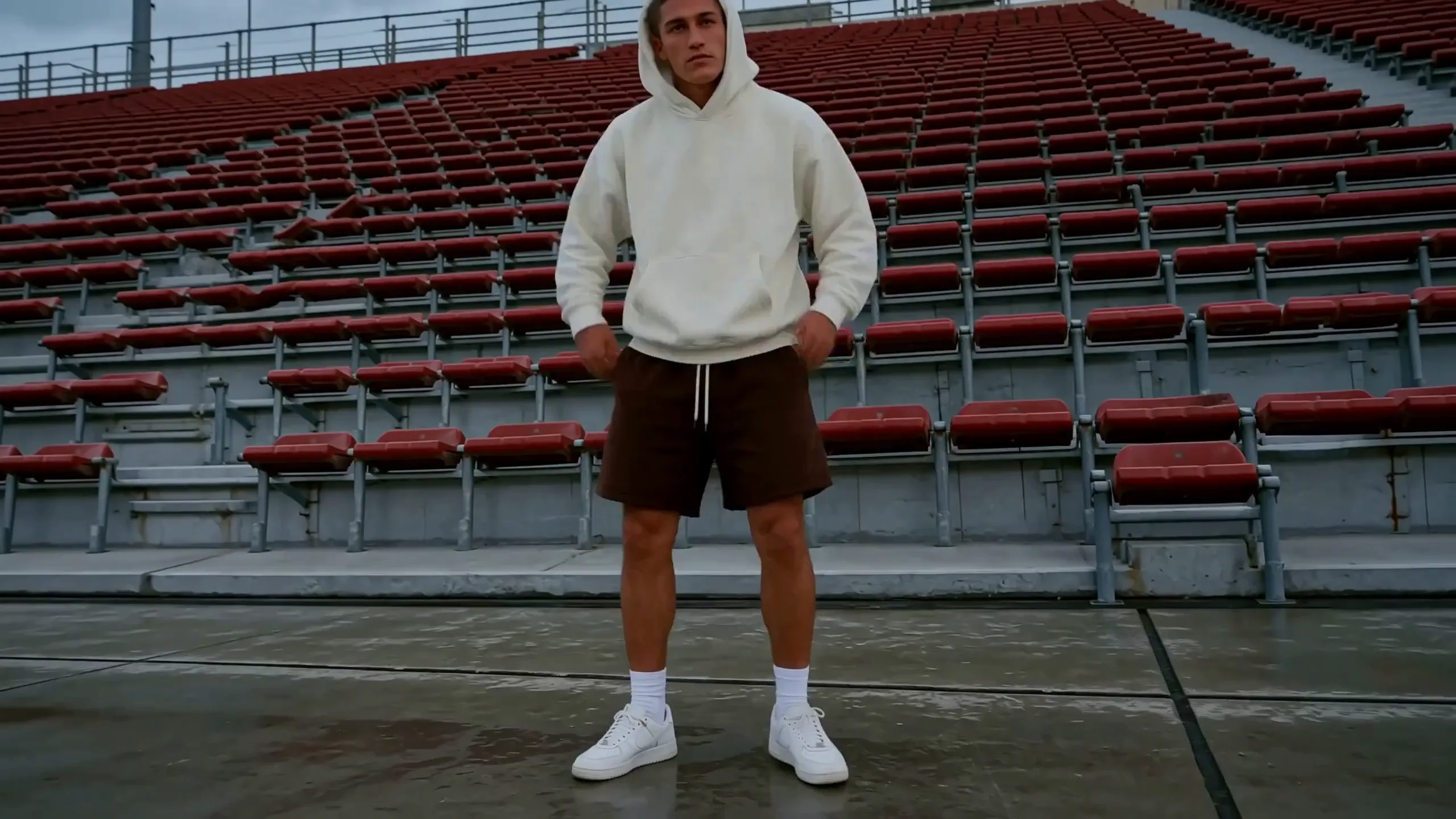
View H3 Max prompt
integrated_multimodal_description: [Shot 1] Live-action athletic dance film, a wide symmetrical shot frames one young man centered on the concrete concourse of an empty stadium. He wears a white hooded sweatshirt with the hood up, black athletic shorts, white crew socks, and white trainers. Rows of red seats form stable horizontal lines behind him. The camera holds a static shot as he performs a ten-second sequence: two lateral hops, a controlled cross-step, a low knee bend, a half-turn, and a final balanced pose facing the camera. Preserve exactly one dancer, the same face, clothing, limb count, seat geometry, and overcast lighting throughout.

overall_soundscape: Rubber soles strike the concrete in a clear left-right rhythm while the hoodie fabric moves softly. The empty stadium adds a short natural echo to each landing and breath.

non_diegetic_music: A dry hip-hop beat at 96 BPM with kick, snare, and sparse bass notes; each landing aligns with a drum hit and the music stops on the final pose.
Seedance 2.5 reference observation
The forest clip assigns the camera and flashlight a reveal task. Watch whether the beam discovers the red bag, bones, and markings in a deliberate sequence without losing the spatial layout.
H3 Max reference observation
The H3 Max stadium clip provides one clear role: keep a hooded dancer centered while the empty red seating remains fixed. Watch the knees, feet, hands, and hoodie shape through the choreography.
Evidence limit: The subjects, environments, and reference packs differ. These clips show how to inspect prompt execution, not which model would win from one identical input.
Decision: Use a small, clearly labeled reference set for H3 Max and give each asset one job. Evaluate Seedance when the production requires a larger reference pack, timestamp direction, or more layered control.
Round 4
Matched-task referenceWhich Workflow Is Better When Sound Must Be Designed with the Picture?
The H3 Max reference demonstrates a sound-bearing multi-shot montage; the Seedance reference demonstrates a presenter-led product clip. They expose different audio jobs, so synchronization matters more than loudness.
What this round tests
Do dialogue, physical sounds, ambience, and music arrive with the visible event they are meant to support?
- Cut-to-sound synchronization
- Voice and lip alignment
- Ambient continuity
- Music separation from scene audio


View H3 Max prompt
integrated_multimodal_description: [Shot 1] Live-action commercial montage, a warm medium-wide shot frames two parents and their young daughter beside an open car at a woodland campsite. They laugh and tap three red fruit ice pops together once. [Shot 2] At 00:03.750, the camera cuts to a dark teal close-up of two faces separated by cracked reflective glass; both remain silent as the glass emits a faint stress creak. [Shot 3] At 00:07.500, the camera cuts to a low-angle medium shot of a male athlete in a white tracksuit with a red stripe standing beneath severe concrete architecture. Wind moves the fabric as he takes one deliberate step forward. [Shot 4] At 00:11.250, the camera cuts to a warmly lit room where a dark-haired man in a black jacket sits at a wooden desk, types one final line on a laptop, stops, and exhales with a quiet satisfied laugh. Every cut introduces a distinct, synchronized acoustic space.

overall_soundscape: Forest birds, an open-car-door creak, family laughter, and the soft tap of ice pops end cleanly at the first cut. A low room tone and glass stress creak accompany the mirrored faces, followed by concrete wind and one footstep under the athlete, then keyboard taps, paper movement, and a quiet laugh in the final room.

non_diegetic_music: One continuous restrained electronic score links the montage: soft marimba pulses in the opening, a low sustained synth under the dark portrait, a stronger kick beneath the athlete, and warm piano chords that resolve after the final laugh.
Seedance 2.5 reference observation
The Seedance clip centers a presenter and skincare bottle. Check whether speech, hand gestures, product handling, room tone, and any requested clean-output behavior remain coordinated.
H3 Max reference observation
The H3 Max clip moves across a family outing, mirrored dark portrait, athlete, and desk scene. Check whether every cut introduces an appropriate new acoustic space without carrying the previous ambience incorrectly.
Evidence limit: These are different scripts, durations, and audio workflows. The samples do not prove that one model has universally better sound generation.
Decision: Choose H3 Max when picture, ambience, effects, dialogue, and music should be conceived together in one short generation. Evaluate Seedance when audio references or a controlled post-production handoff are central to the workflow.
Round 5
Matched-task referenceWhich Model Fits Editing and Revision Work More Precisely?
Seedance has the clearer documented local-revision workflow; the two displayed clips illustrate insertion and scene-matching checks but do not share a source video.
What this round tests
Can a new subject or object enter the scene while motion, occlusion, lighting, and untouched areas remain believable?
- Insertion edges and scale
- Occlusion order
- Matched lighting and motion
- Changes outside the edited region

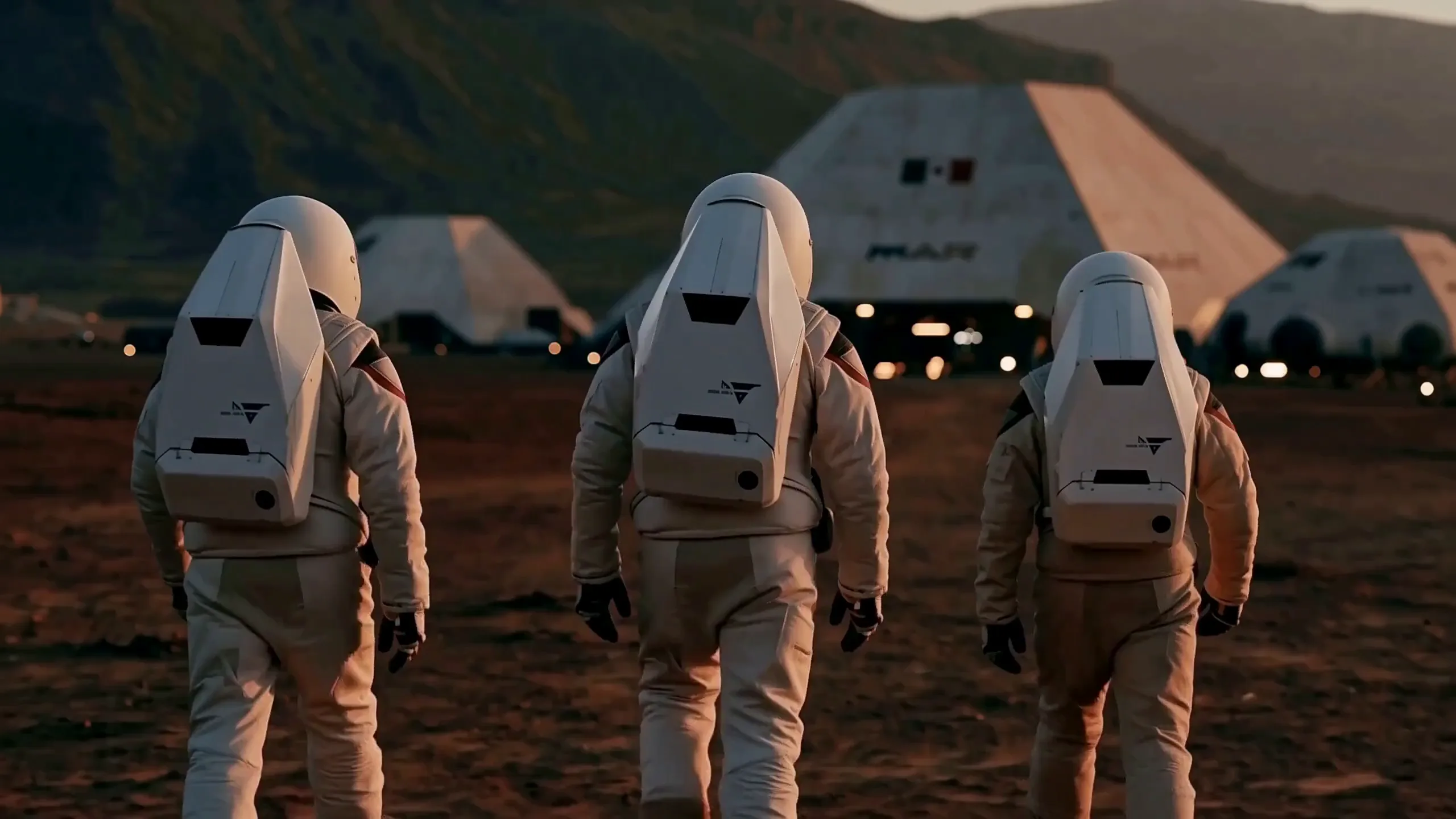
View H3 Max prompt
integrated_multimodal_description: [Shot 1] Live-action science-fiction film, a rear medium-wide tracking shot follows exactly three astronauts walking across rust-red Martian ground toward a white modular habitat at dusk. The left and center astronauts wear matching rectangular white life-support packs; the shorter astronaut on the right wears a smaller pack with the same panel design. Preserve all three suit silhouettes, pack geometry, spacing, limb count, and walking rhythm. The camera tracks forward at slow speed while their boots compress the soil, their bodies naturally occlude one another, and warm habitat lights cast consistent highlights across every suit. No additional people or vehicles enter the frame.

overall_soundscape: Three staggered sets of heavy boot impacts press into dry soil beneath steady suit ventilation and faint radio static. A low mechanical hum grows slightly louder as the group approaches the habitat.

non_diegetic_music: Sparse low brass and slow electronic pulses, increasing gently in volume before stopping on the final synchronized step.
Seedance 2.5 reference observation
The snowy figure provides a localized scene-edit reference. Watch the inserted subject, flame, snow contact, cast light, and whether the untouched forest remains stable.
H3 Max reference observation
The H3 Max astronaut clip is useful for checking repeated suit geometry, three-person spacing, walking rhythm, ground contact, and whether the habitat lighting affects every figure consistently.
Evidence limit: Because the source clips differ, this is not a same-input editing contest. It demonstrates what to inspect after a revision, not an absolute output-quality ranking.
Decision: Use H3 Max to regenerate a short scene when a broad transformation is acceptable. Choose Seedance when client feedback requires a precise local or timestamp-level change without rebuilding the entire clip.
Which AI Video Model Should You Choose?
Choose the model that removes the hardest production constraint. A visually attractive sample is not useful if it cannot meet the required duration, reference workload, audio path, or revision process.
Choose H3 Max when
- The final shot is 5–15 seconds.
- Fast concept iteration matters more than a long editing workflow.
- Picture and native audio should be designed together.
- 480p, 768p, or 1080p meets the current delivery requirement.
- Regenerating the complete short clip is an acceptable revision path.
Evaluate Seedance 2.5 when
- The scene needs up to 30 seconds in one generation.
- A large multimodal reference pack is central to the brief.
- The production needs audio-reference workflows.
- Client feedback requires a local or timestamp-level change.
- The team wants generation and targeted revision in one workflow.
Bottom line: use H3 Max to shorten the short-form audiovisual iteration loop. Evaluate Seedance 2.5 when longer delivery, reference capacity, or targeted revision is the harder requirement.
Why Use H3 Max and Seedance 2.5 in the Same Workflow?
A project does not need one model to win every shot. Use each model where its workflow removes the most work, then judge the assembled sequence against one delivery standard.
Start with H3 Max
Generate the sound-on opening hook, graphic beat, short product reveal, motion study, or alternate concept while the brief still needs fast iteration.
Move to Seedance
Build the longer demonstration or narrative section when the shot needs more elapsed time, more reference assets, or a targeted revision path.
Finish as one edit
Normalize framing, pacing, sound level, color, and delivery resolution in the final edit. Review the finished sequence rather than expecting both generators to produce identical texture.
This hybrid approach is most useful for ads and social campaigns: H3 Max handles rapid short-form exploration, while Seedance covers the shots whose length or revision requirements exceed that loop.
Final Verdict: Who Wins H3 Max vs Seedance 2.5?
There is no useful winner without a production constraint. H3 Max wins the short audiovisual iteration decision; Seedance 2.5 wins when duration, reference capacity, or precise revisions define success.
H3 Max wins when
The brief is a focused 5–15 second shot, native audio belongs in the first generation, and fast prompt-to-result iteration is the priority.
Seedance 2.5 wins when
The brief needs a 30-second scene, a large multimodal reference pack, audio references, or local and timestamp-level revision control.
Recommendation: start with the bottleneck, use the five rounds above to inspect the relevant failure modes, and keep the model that reaches an approved deliverable with fewer full regenerations.
H3 Max vs Seedance 2.5 FAQs
What is the main difference between H3 Max and Seedance 2.5?
H3 Max on this site is built around fast 5–15 second generation at 480p, 768p, or 1080p. Seedance 2.5 is the stronger workflow candidate when a project needs a 30-second scene, a larger multimodal reference pack, or targeted revisions.
What do the H3 Max reference videos demonstrate?
Every H3 Max reference clip demonstrates a scene type or evaluation criterion used in one of the five comparison rounds. The page explains what to watch, the visible limitation, and the production decision each example can support.
Which model is better for longer videos?
Seedance 2.5 supports videos up to 30 seconds, while H3 Max supports 5–15 second clips in this site workflow. Choose Seedance for one longer continuous sequence and H3 Max for focused short shots.
Which model is better for native audio?
H3 Max is a strong starting point when sound should be generated with a short scene in one pass. Seedance 2.5 is worth evaluating when audio references or a more controlled post-production workflow are central to the brief.
Which model is better for editing and client revisions?
Seedance 2.5 has the clearer local and timestamp-level revision workflow. The current H3 Max generator on this site creates a new complete clip, so it fits revisions where broad regeneration is acceptable.
Can I recreate the reference scenes with H3 Max?
Yes. Each round with two separate model videos includes an H3 Max prompt beside the H3 Max player. Its button opens the homepage generator with the prompt, duration, aspect ratio, resolution, and Balanced prompt expansion prefilled. Combined comparison videos do not show a prompt or generator CTA.
Turn One Reference Scene into an H3 Max Test
Choose one of the two-video comparison rounds, open its complete H3 Max prompt, and send the scene settings directly to the homepage generator.